Databricks IDE Integrations
Build on the Lakehouse in your favorite IDE
Databricks IDE integrations overview
Databricks is building a complete development experience for developers and teams who prefer IDEs, and have existing software engineering workflows. Our official IDE integrations bring all of the core capabilities of Databricks into your IDE, including securely connecting to workspaces, clusters and data. They are uniquely designed for IDE workflows, with support for your favorite editor features, full access to Git tools, local unit testing, and debugging of code running in your cluster.
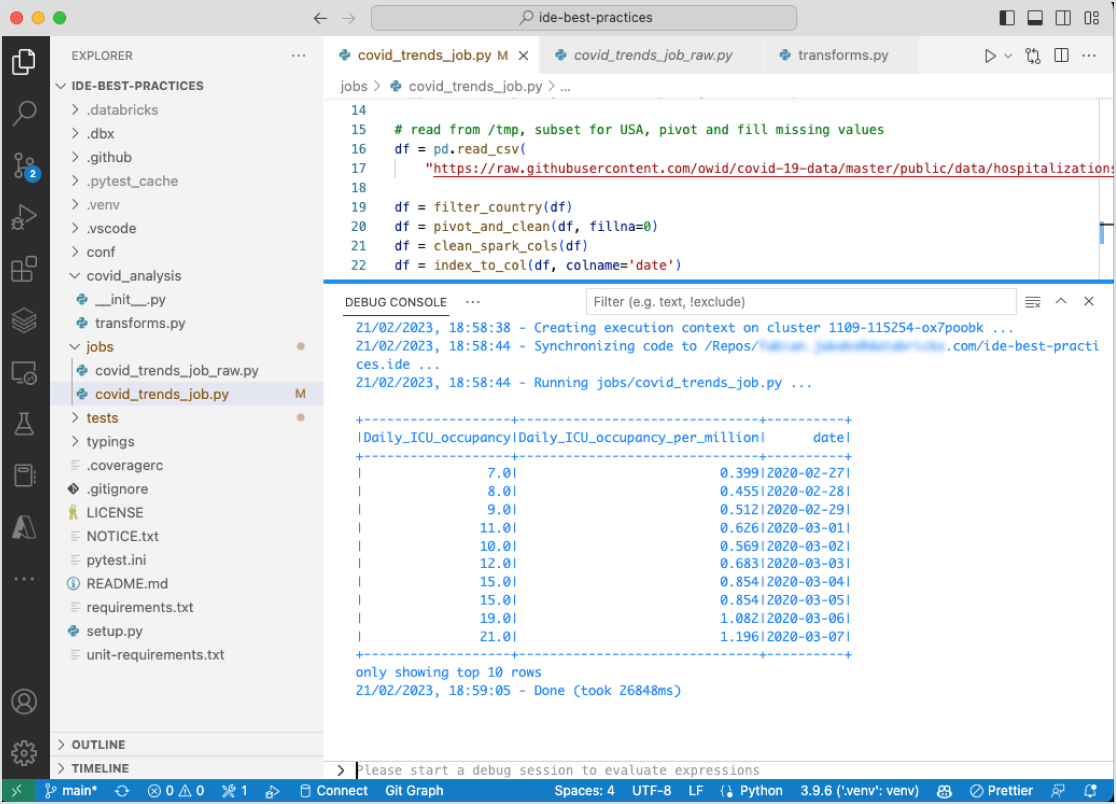
Access lakehouse data and clusters from your IDE
Get the capabilities of the Databricks Lakehouse in your IDE. You can build your data and AI apps with the performance of Databricks. Connect to your workspaces to collaborate with your team. Run on clusters to get access to scale for large data applications. And access all your data in the lakehouse from the comfort of your IDE.
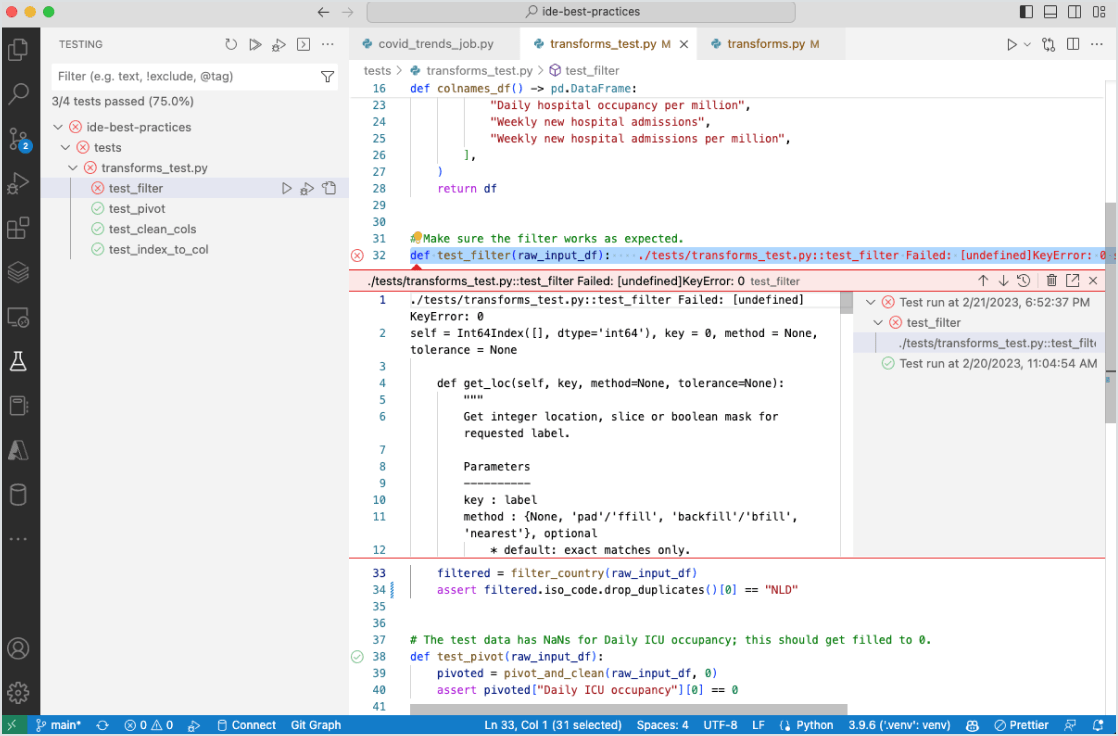
Use source control, testing and debugging in your IDE
The Databricks integrations are built to take advantage of the capabilities of IDEs such as source control, unit testing and debugging. You can do all your familiar work in your IDE like refactoring, code navigation, code assistants and more while iterating rapidly with local unit testing.
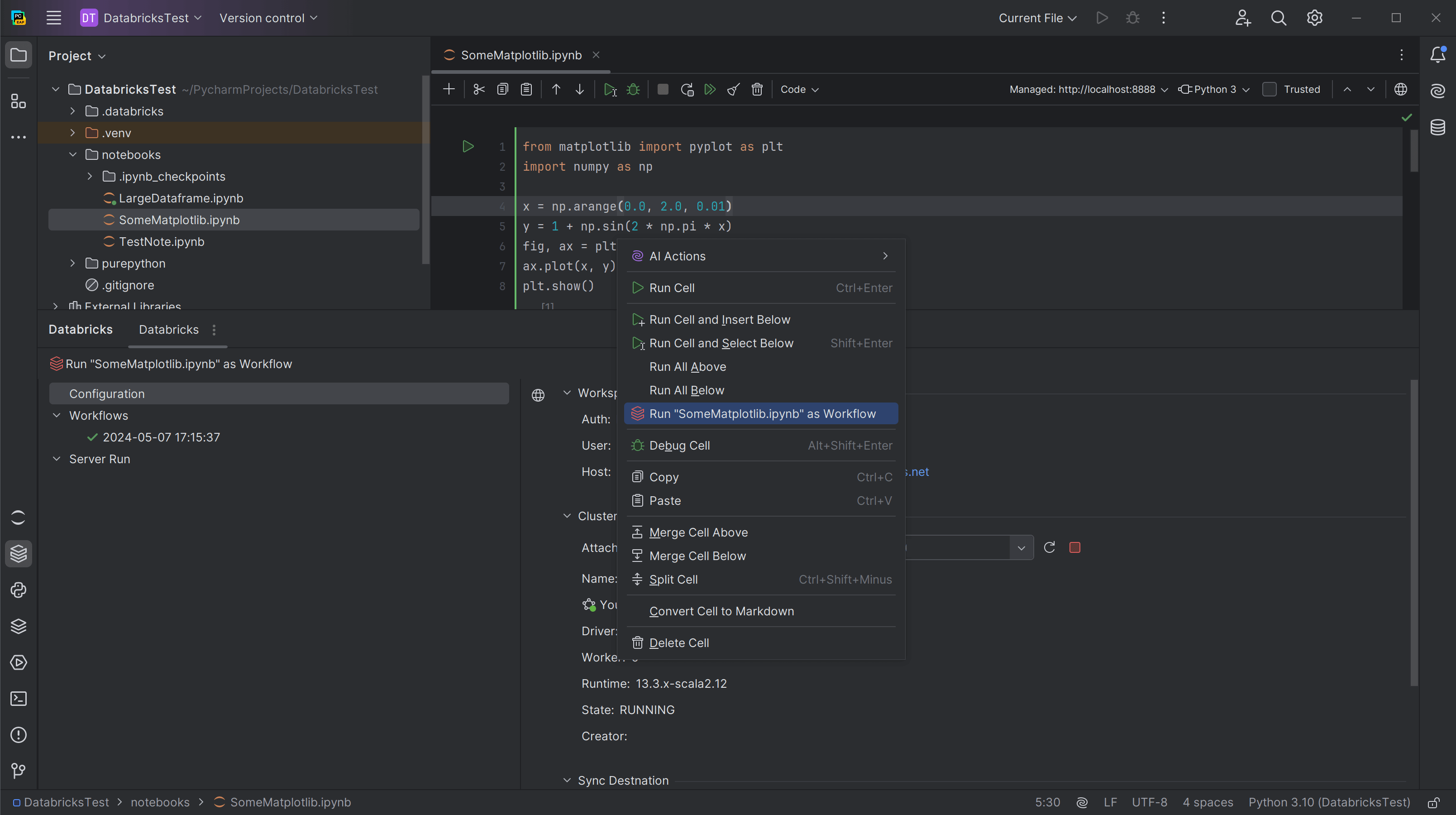
PyCharm Databricks integration
The integration allows you to build your data and AI apps on the Databricks Intelligence Platform directly within PyCharm Professional, enhancing the Data + AI Platform with the powerful Python IDE by JetBrains.
Write code quickly and easily and run it in the cloud without extra configurations. Connect to your Databricks workflows via PyCharm and monitor the process within the IDE. Run Python scripts on a remote cluster. Execute notebooks or Python scripts as Databricks workflows. Synchronize project files to the Databricks workspace.
Official Databricks support for IDE integrations
Databricks will continue to invest to improve and update these integrations. You get the full support of Databricks for these official integrations so you can ensure your investment is safe and secure. Set up quickly and get started with Databricks in your IDE.
Get started with the Databricks VS Code extension
Want to start developing in VS Code yourself? You can download the extension directly from the VS Code Marketplace.
Follow our setup documentation [AWS, Azure, and GCP] for step-by-step instructions to fulfill workspace requirements, install the extension and configure your profile. We walk you through how to connect to your Databricks workspace and provide some test code to run a file on a cluster from your IDE. Then you are all set to start developing from VS Code.
Databricks IDE integration resources
Databricks VS Code extension announcement blog
Databricks VS Code extension setup documentation
Frequently Asked Questions
Databricks IDE integrations bring the core capabilities of the Databricks Data + AI Platform — securely connecting to workspaces, clusters and data — directly into your IDE. They give you full access to Git tools, local unit testing and debugging of code that runs on your cluster, alongside your editor's own features like code navigation and refactoring. Official integrations are currently available for Visual Studio Code and PyCharm Professional, and Databricks continues to invest in and fully support both.